
Tax situation report
This document is only valid if you are a member of the flat-rate scheme.
By clicking on the “situazione fiscale” button, you can download a report of your receipts and invoices issued and received to date. This report shows the sum of the values that will be included in your tax return, since those who opt for the flat-rate scheme will only pay taxes and contributions on what they have actually received and not on the theoretical turnover for the year.
Inside the report you will find your tax data, the date of downloading the file and the summary of all invoices collected in the tax year considered in the dashboard i.e. the invoices collected in the year plus any invoices from previous years collected in the tax year considered.
This is a very useful document to check your tax situation as you go along and to understand on what tax base you will be paying your taxes. This tax base is called tax relevance.
To download the document, simply click on “situazione fiscale”.
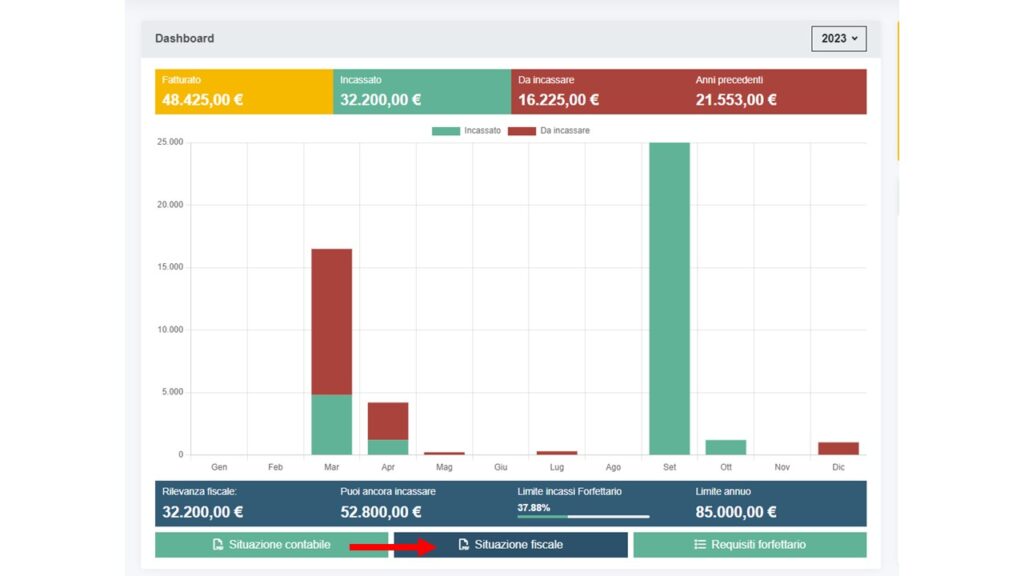
Click on “situazione fiscale” to download your fiscal situation document in PDF format.

If you have been a customer of Partitaiva24 for several years, you can also download your tax situation for previous years. The download is very simple, simply select the desired year and click on the “situazione fiscale” button.
The value indicated as tax relevance will be the tax base on which taxes and contributions will be calculated.
