
F24 and Payments Area Guide
The F24 and Payments section contains the F24s relating to the payment of taxes and contributions that your consultant periodically uploads to your area. We’re talking about F24s for tax returns, INPS contributions or Chamber of Commerce fees.
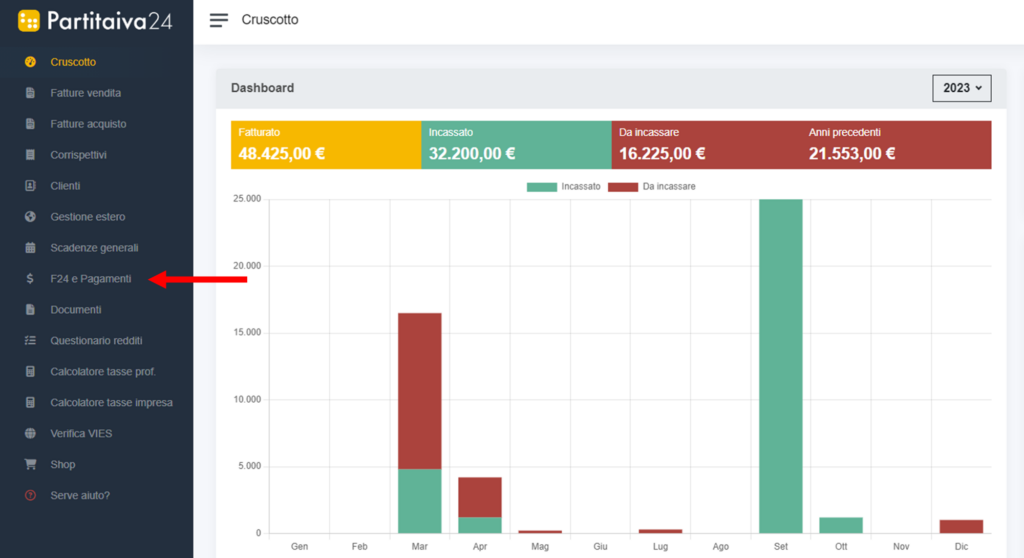
Once the F24 has been uploaded, your advisor will send you an email notification that a new document has been uploaded. To view it, you will need to log in to your Partitaiva24 Cloud area and click on “F24 e pagamenti” from the left-hand menu.
Inside, you will find a list of all F24s loaded in the reference year.
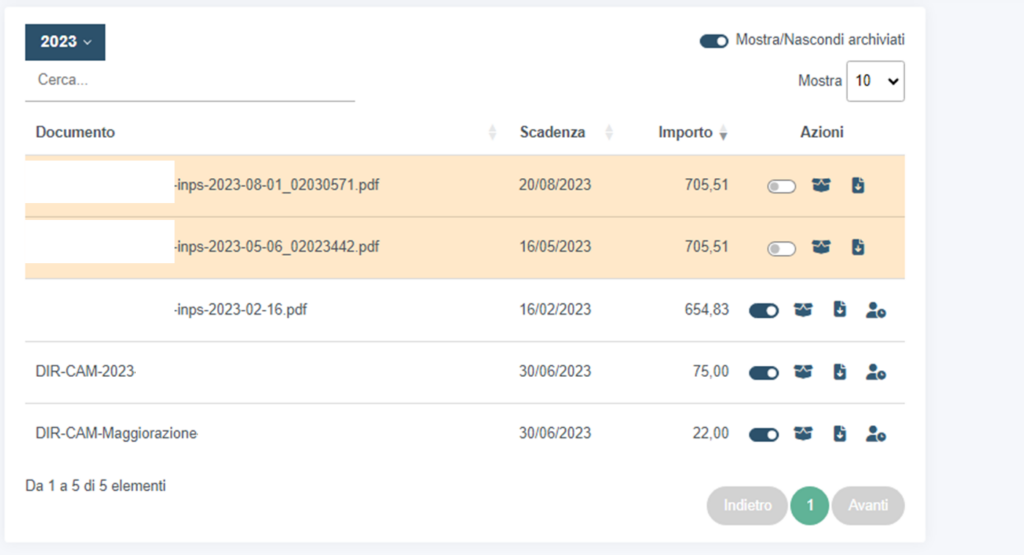
The F24s highlighted in yellow are those which you have not yet viewed.
To view the desired F24, simply click on it, and to download it, click on the appropriate button under Actions.

Once you have paid an F24 through your internet banking, don't forget to mark it as “pagato” and if you no longer want it to be visible, click on the “scatola” to archive it.
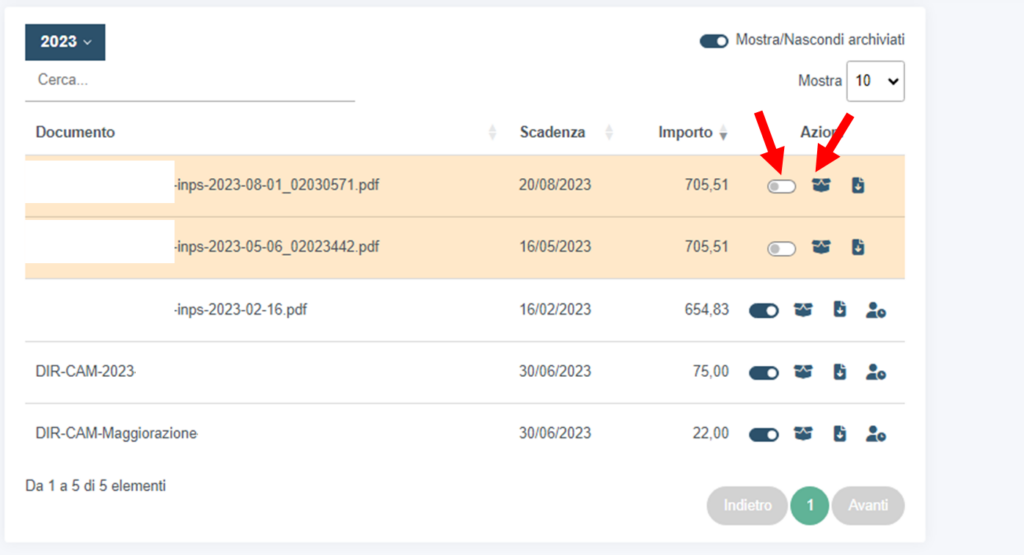
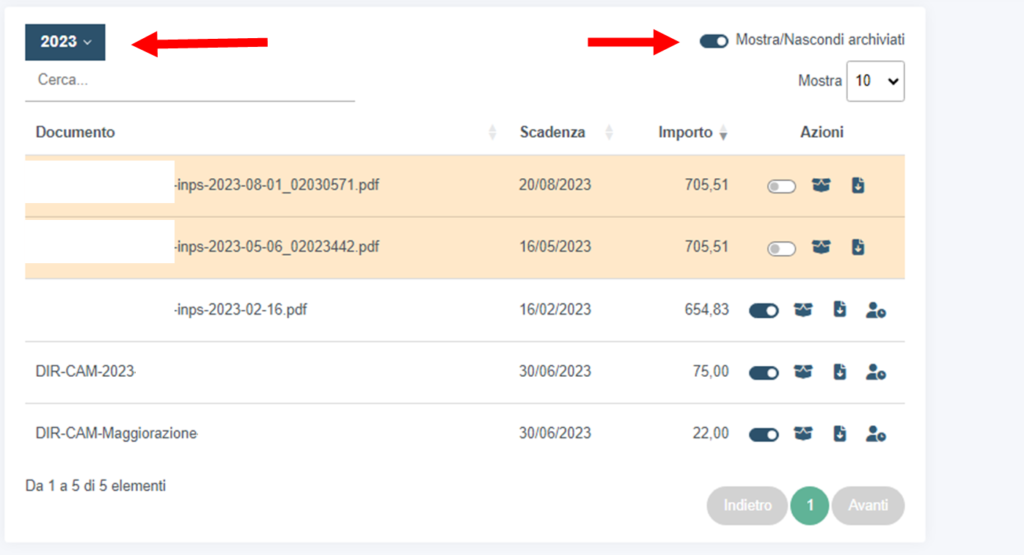
Archived F24s will not be deleted, they will only be hidden. If you wish to continue viewing them, simply remove the flag from the “mostra/nascondi archiviati” item at the top.
From this area you can also view and download F24s from previous years managed by Partitaiva24 at any time. Click on the year in the top left-hand corner to see all the available years managed by Partitaiva24.
Lastly, by clicking on the icon depicting a 'omino' on specific F24s, you can request that they be postponed or paid in instalments. Upon receipt of your request, your consultant will contact you to define the options available to you for payment of the F24 in question.
