How to import e-invoices from other ERPs
If you don't want to use the e-Invoicing software included in your Partitaiva24 Cloud subscription and you use another e-Invoicing software, you will still need to upload invoices to update your accounts periodically.
You can do the import in a few simple steps.
Before importing, make sure that the files you upload are all xml invoices (you cannot upload invoices in pdf, word, excel, etc.) and that the invoices have been correctly accepted by the SDI. Do not upload rejected invoices. Remember that an invoice rejected by SDI is considered as not issued.
To import e-invoices from other ERPs you will first need to access the Partitaiva24 Cloud reserved area.
Once logged in, from the left-hand menu click on: “fatture vendita”.

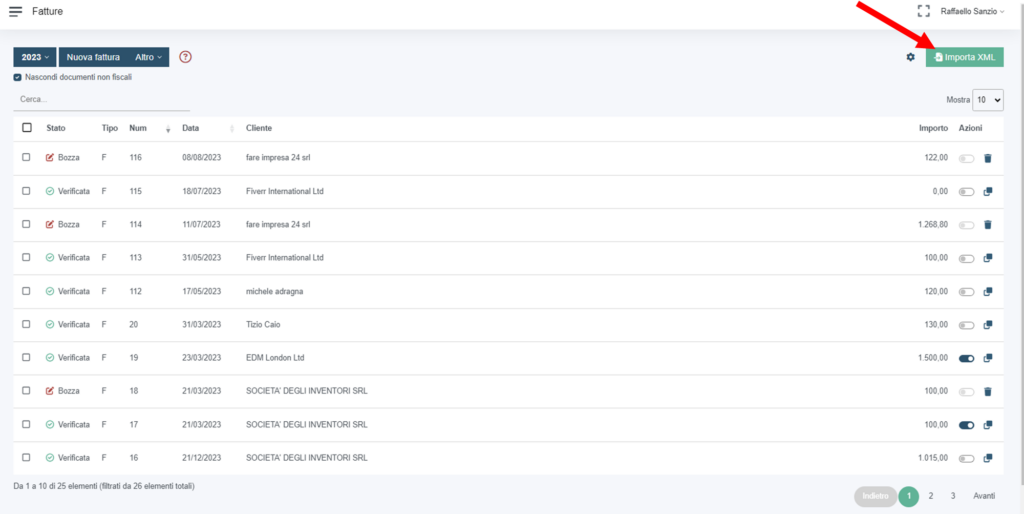
Next, in the top right-hand corner, you will find the entry “Import xml”, click on it.
Next, drag the files you wish to upload into the box on the left, wait for them to be recognised by the system and click on “importa”.
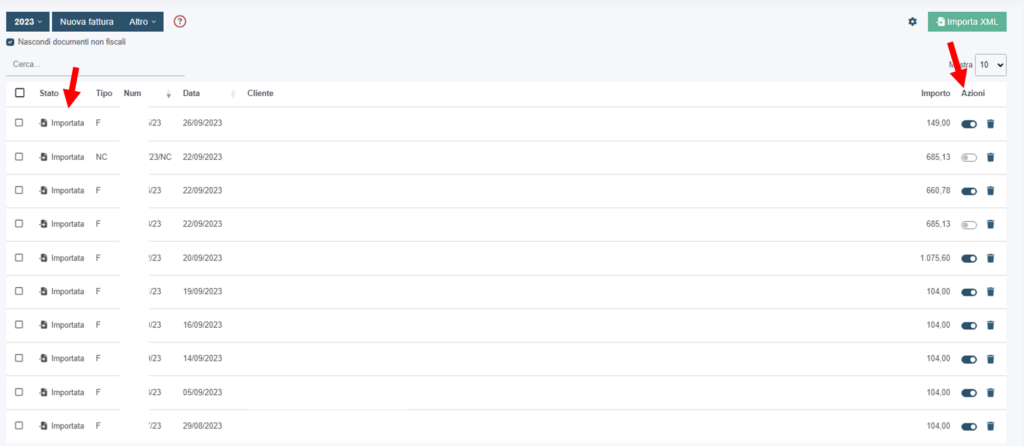
Once imported, you will find your invoices in the “fatture vendita” list and each one will be marked as “importata”. Don't forget also to select as “incassata” or not from the “azioni” section of the list.