
Setting up the e-Invoicing area
Once you have received the email for activation of your Partitaiva24 cloud the first thing you need to do, in addition to accepting the contract for use of the platform, is to set up invoicing.
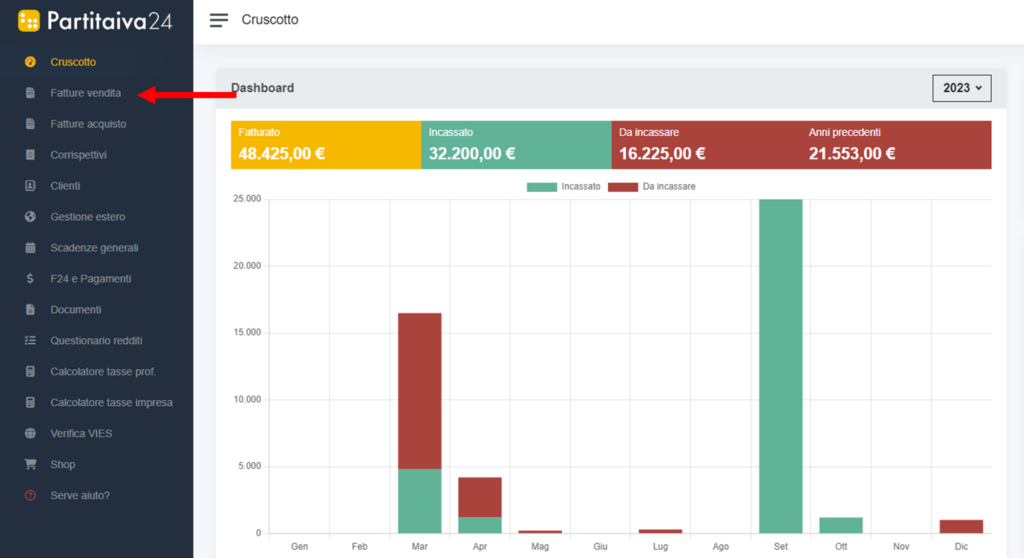
Select the “fatture vendita” section for the first time and you will see a welcome screen. Click on 'let's get started' to set up your billing information right away.
You will already find your tax code and VAT number entered, and you will have to fill in the missing data.

If you have a logo you can insert it by uploading your image, click on the 'choose file' button and upload directly from your device.
The system inserts your first and last name by default, but if you have a company name you can enter it in the appropriate field.
Then enter your address. If you wish, you can also enter your email address and telephone number, although these are not mandatory.
Only if you are a professional, do not forget to also enter your compulsory social security fund, by clicking on the drop-down menu you will find a list of all professional funds. Select yours.
Finally, you can enter your IBAN so that it is visible on the invoice.

It is also possible to change the information entered later, simply click on your name in the top right-hand corner, then on settings and then on invoices.


Once you have made the change, do not forget to click on save.