
Dashboard Guide
The dashboard is the dashboard of your Partitaiva24 Cloud. From here you can see at any time how your turnover has progressed during the current year, how much you have collected, how much you still have to collect and whether you have invoices from previous years that have not yet been collected.
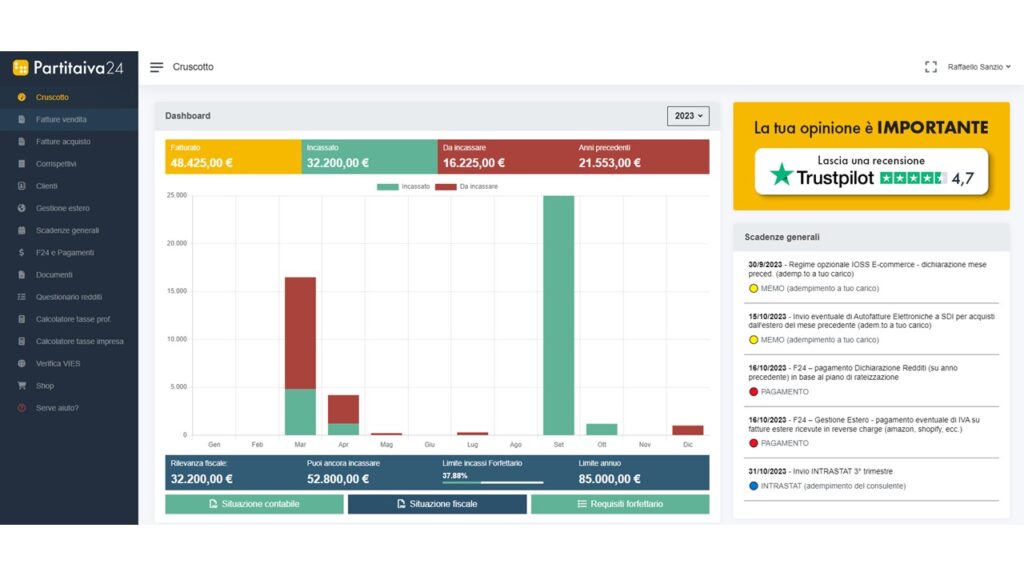
At the bottom of the chart, if you are in the flat-rate scheme, you can find out at any time what your turnover limit is that you can collect to avoid losing the flat-rate scheme and how much you can still collect.
Lastly, you will be able to download both your accounting and your updated tax situation.
If you join the ordinary regime, on the other hand, you will be able to monitor spannometrically the value of your quarterly VAT settlement (i.e. whether you have to pay a VAT debit to the treasury or whether you have closed the quarter with a credit).
This value may differ from the calculations provided by your dedicated consultant as not all VAT on purchases is 100% deductible.


By clicking on the year, you can also select your situation from previous years if you were already a Vatnumber24 customer.

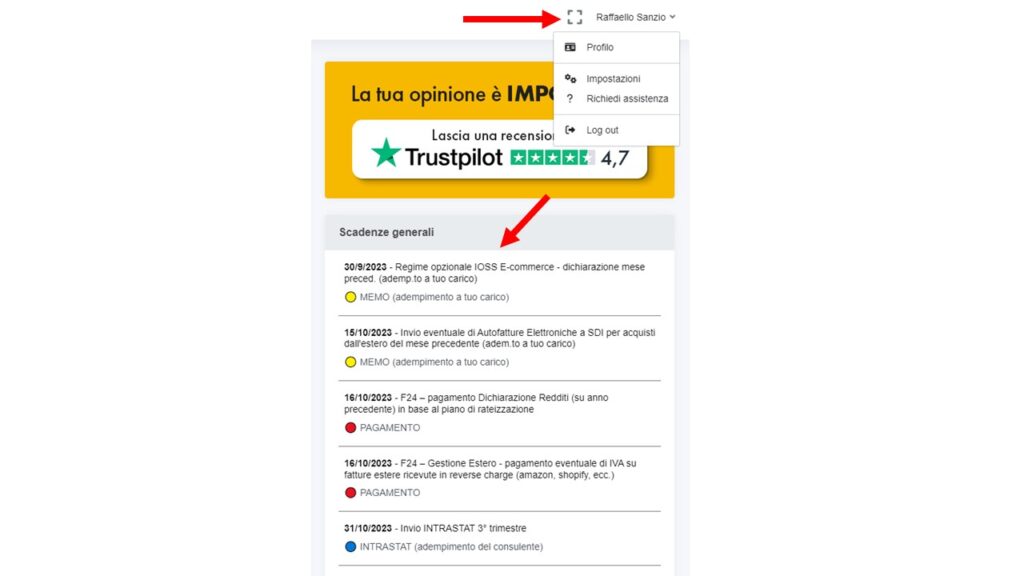
On the right-hand side you can see the upcoming general deadlines for your tax regime, while on the top right, by clicking on your name, you can change your settings or request assistance.
On the left hand side, you will find the menu to access all the other sections of your Partitaiva24 Cloud: invoices, correspondence, see general deadlines for your tax regime (it is not certain that all the deadlines indicated can relate to your personal situation specifically), all your tax documents, and view and download F24s for making tax and contribution payments.
